Firecrawl Review (2026): We Tested 60+ URLs (~770 Credits) — What Works & Where It Fails
Short answer: Firecrawl gives an agent four working tools—search, scrape, crawl and page interaction—and beat a plain HTTP fetch on JavaScript pages, prices, PDFs and protected pages inside Antigravity 2.0. What it cannot do is discover content on social platforms: listing, hashtag and profile pages are refused, and no paid plan changes that.
| Verdict | |
|---|---|
| Best at | JavaScript-rendered pages, pricing pages, PDFs, small crawls, single social posts, structured JSON |
| Not for | Social feeds and listings, music names or video files, SEO metrics (keyword difficulty, volume) |
| Cost in our runs | 1 credit per normal page; 5–14 credits per social post; ~770 credits for everything below |
| Works in Antigravity 2.0? | Yes, with an API key; restart the app after adding it |
Why we tested it this way
Every scraping tool looks great in its own demo. The demo page loads fast, the markdown comes back clean, and nobody shows you the page that broke. So we stopped reading feature lists a while ago. Everything in this directory gets installed and run before we write a word about it, and with Firecrawl we went further than usual:
- Three rounds over three days. Round 1 (Nov 12): keyless, no account. Round 2 (Nov 14): with an API key, re-testing what failed. Round 3 (Nov 14): a "ceiling" test across 50+ URLs of the kinds of pages a small web team actually needs.
- Real use inside Antigravity 2.0 (Windows, app 2.32.1, Gemini 4 Hydrogen Medium), installed the way a reader would.
- Rules: public pages only, no logins, no captcha solving. If a site refused, we wrote down the exact message and did not try a second route. Every scrape used
maxAge: 0, so no cached answers. We checked the credit balance before and after every call. - Versions: official MCP server 3.36.1 (latest GitHub release tag) and 3.40.0 (latest on npm). The features used here behave the same in both.
Round 1: no account, no key, no excuses
We started where most people start: no sign-up, just the keyless tier.
Hard pages. We picked 12 pages that usually break simple scrapers. 9 of 12 came back with real content on the first try, and a 10th worked once we added a wait. That is a better first-try rate than we expected.
| Page type | Result |
|---|---|
| JavaScript-rendered quotes and product prices | ✅ 10 quotes, 12 prices |
| Content that appears after a 10-second delay | ❌ by default; ✅ with waitFor: 12000 (13.4 s) |
| Cloudflare challenge page and anti-bot challenge page | ✅ (1.5 s and 5.2 s, uncached) |
| Research paper PDF | ✅ 44,000 characters of full text |
| EU news site with a consent wall | ✅ article text, no wall |
| Large marketplace product page | ✅ title, price, rating |
| Review site with heavy bot protection | ✅ review text |
| Headless-browser fingerprint test | ✅ all checks passed |
| Infinite-scroll page | ❌ first 10 items only (solved in round 2) |
| A large forum | ❌ "not supported" |
Then the boring, honest test: a benchmark. Twelve hand-picked pages prove little, so we sampled 60 URLs from Firecrawl's public dataset scrape-content-dataset-v1 (fixed random seed) and ran each one through Firecrawl and through a plain HTTP GET from the same machine. The score is simple: how much of the human-labelled main text shows up in the output.
| Got content | Main text mostly captured (≥ 60%) | Average match | |
|---|---|---|---|
| Firecrawl MCP (main content only) | 57 / 60 | 39 / 60 | 0.636 |
| Plain HTTP fetch | 40 / 60 | 24 / 60 | 0.402 |
Two caveats, because they matter. Noise (labelled junk text) slipped into 5 of Firecrawl's 57 outputs. And the median time of 220 ms is flattering: many pages were cached at that point. The dataset is also a year old, so both columns are lower than they would be on fresh pages. None of that changes the takeaway. The gap is the point.
Search. On OpenAI's SimpleQA questions, keyless search hit its daily cap after 7 questions (6 of 7 answers were in the top-5 snippets). Seven questions is an anecdote, not a result, so we finished the job in round 2.
Round 2: with a key, chasing what failed
Infinite scroll, solved (and explained). This one took some digging. The official scroll action ran, and was billed, but still returned only the first 10 of 100 items. So we read the page state back to see what the browser was actually doing. The answer: Firecrawl's browser viewport is 100,000 px tall. A short page has nothing to scroll, so "load more on scroll" never fires.
| Method | Result |
|---|---|
scroll action ×4 (3.36.1 and 3.40.0) | ❌ 10 / 100 |
executeJavascript with window.scrollTo | ❌ 10 / 100 |
executeJavascript dispatching a scroll event ×10 | ✅ 100 / 100, ~17.5 s, 1 credit |
firecrawl_interact (asked in plain words in Antigravity) | ✅ 100 / 100, ~1 min |
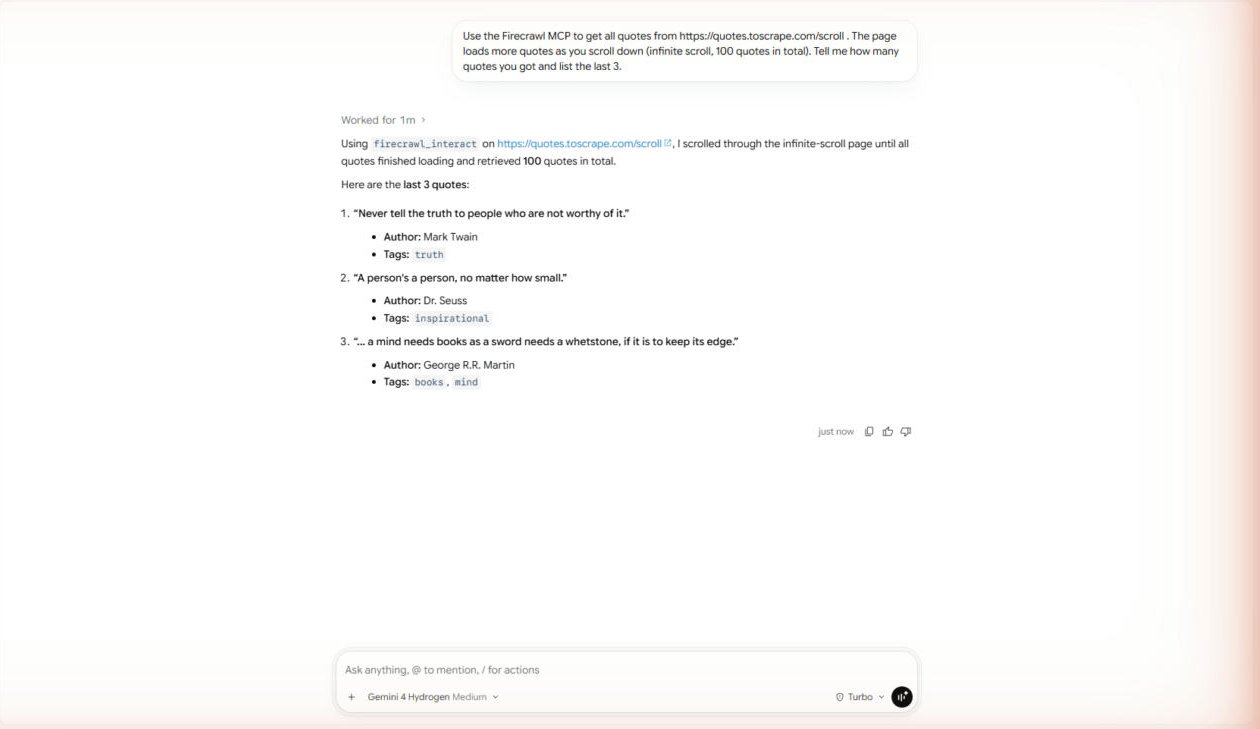
The last row is the one most people will use. You don't need to know any of the viewport trivia: ask for the whole list in plain words and the agent reaches for interact on its own.
Crawling. Two small crawls, 20 pages each: a demo bookstore (20/20 pages, all with prices, 12 s) and our own site (20/20, 39 s). 1 credit per page. In 3.40.0 the crawl tool waits and returns the finished result in the same call, which is one less polling loop for your agent to get wrong.
SimpleQA, all 30 questions. Strict scoring: the reference answer string must appear in the returned text (no AI judging, so this is not comparable with the vendor's published 94%).
| What we looked at | Answer found |
|---|---|
| Top-5 search snippets | 20 / 30 |
| Top-3 results scraped to full text | 25 / 30 |
At least two of the five misses were formatting (a number and a date written differently), so the real hit rate is a little better than our strict count says. Median time: 1.7 s for snippets, 5.0 s with scraping. The free plan's per-minute limit stopped us at question 6; spacing calls 7 s apart got all 30 through, and refused calls were not billed.
Still failing with a key: the large forum ("currently not supported", 0 credits) and late-rendering pages without waitFor.
Round 3: the ceiling test (50+ URLs, 200 credits)
The first two rounds told us Firecrawl works. Round 3 asked a more useful question: where does it stop? We listed the pages a small web team checks every week and threw them all at it.
Where it clearly beats a plain fetch
Pricing pages. On a competitor pricing page that loads prices with JavaScript, a plain fetch found 3 prices; Firecrawl found all 9. On another homepage, 5 vs 7. On a server-rendered pricing page, both were fine. 1 credit and 6–8 s per page. If you watch competitor prices, this alone is worth the setup.
Single social posts, with numbers. Firecrawl routes these to a data provider and returns clean fields:
| Post type | Fields returned | Time | Credits |
|---|---|---|---|
| TikTok video | plays, likes, comments, shares, saves, date, length, region, caption, transcript | 2–3 s | 10 (14 with a JSON schema) |
| Instagram Reel | likes, comments, plays, date, caption, verified badge | 4 s | 10 |
| X post | text, author, likes, reposts, replies | 7 s | 5 |
| YouTube video page | title, channel, views, likes, upload date, length, description | 18 s | 1 |
Sources that plain fetches miss. Google Trends "trending now" (terms, volume band, growth, start time), the Meta Ad Library search page (30 ads per page with start date, advertiser, copy, landing page), a video-template gallery (117 templates with use counts), Know Your Meme (newest memes, origin and spread), Product Hunt's daily board and a public startup-revenue listing. All 1 credit per page.
Scale. A 100-page crawl finished in 92 s with zero errors and zero rate limits. A YouTube channel's video list, scrolled with interact, gave 270 unique video links in 22 s for about 2 credits.
Where it stops
| Page | Result | Why |
|---|---|---|
| TikTok Explore, hashtag and profile pages; Instagram hashtag pages | Refused, 0 credits | The data provider serves single posts, not listings |
| TikTok Creative Center trends | Top 3 rows only | Logged-out view |
| YouTube trending page | Error page | No public trending list |
| Refused | "We do not support this site" (enterprise sales only) | |
| google.com/search fetched directly | Failed | Blocked; firecrawl_search works instead |
| Music names, video files | Not returned | Output is page text and structure |
Look at the "Why" column and a pattern jumps out. Firecrawl is limited by which sites open their doors to it, not by rendering. A bigger plan raises concurrency and rate limits; it does not unlock these pages. That distinction is the most useful thing we learned in three days.
Using it inside Antigravity 2.0
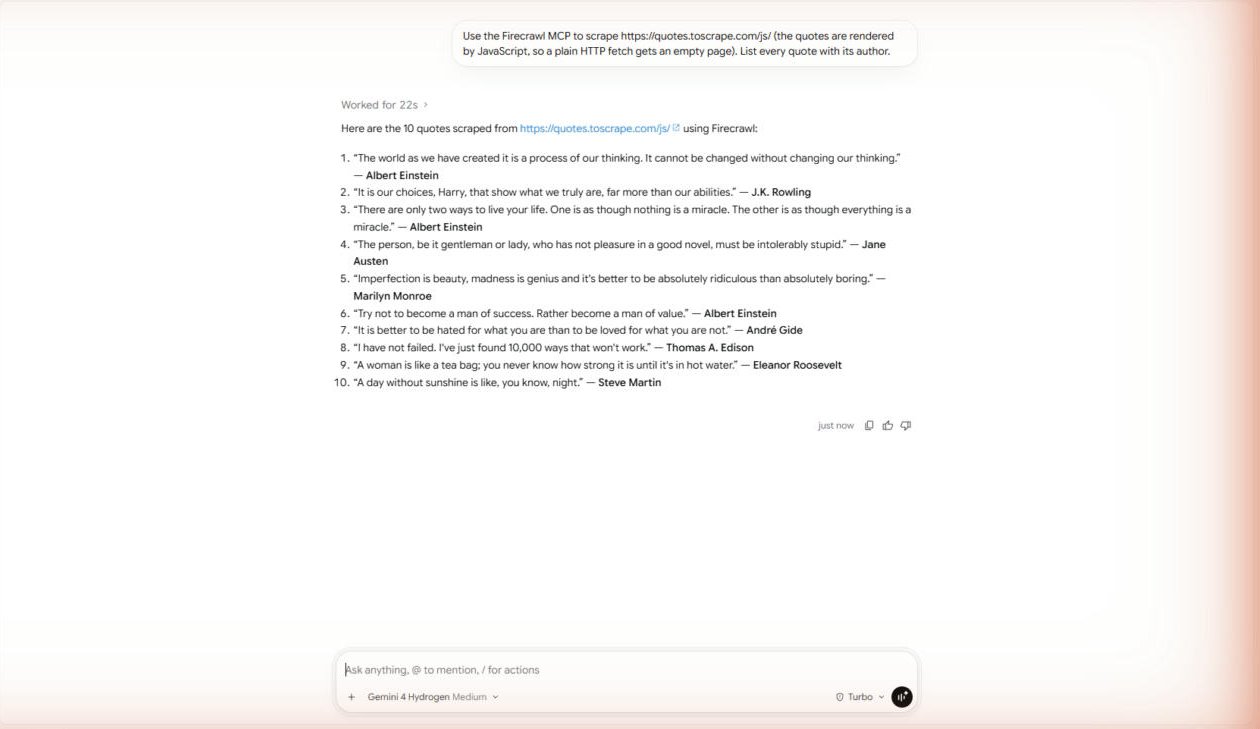
Installing took one message and one restart. Both test prompts worked first time once a key was set.
| Step | What happened |
|---|---|
| Paste the install message | The agent showed the config it would write and waited for our OK; existing MCP servers were left untouched |
| Check it loaded | Only after fully quitting and reopening Antigravity. Then: firecrawl, 32 tools (28 without a key) |
| Keyless on our connection | Refused: "your IP address looks like a VPN or proxy" → add a key |
| Scrape a JavaScript page | 10/10 quotes and authors in 22 s |
| Infinite-scroll page | Gemini chose firecrawl_interact by itself: 100/100 items in about a minute |
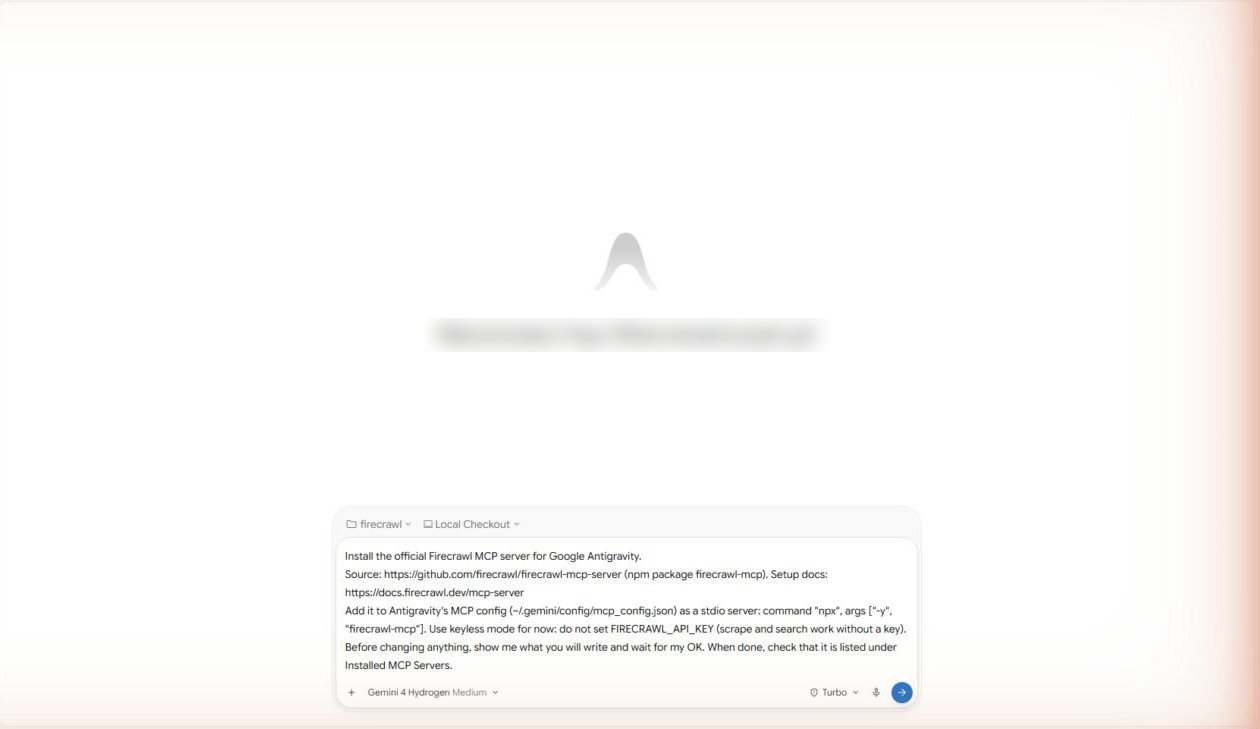
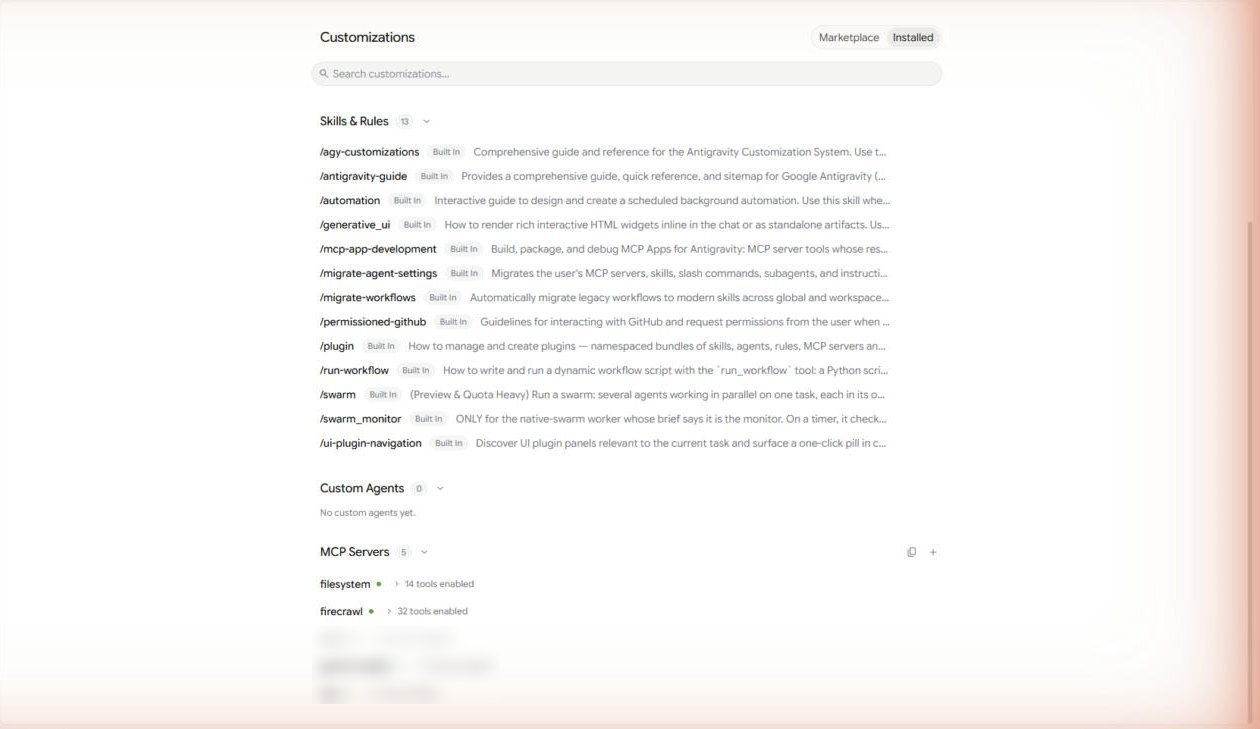
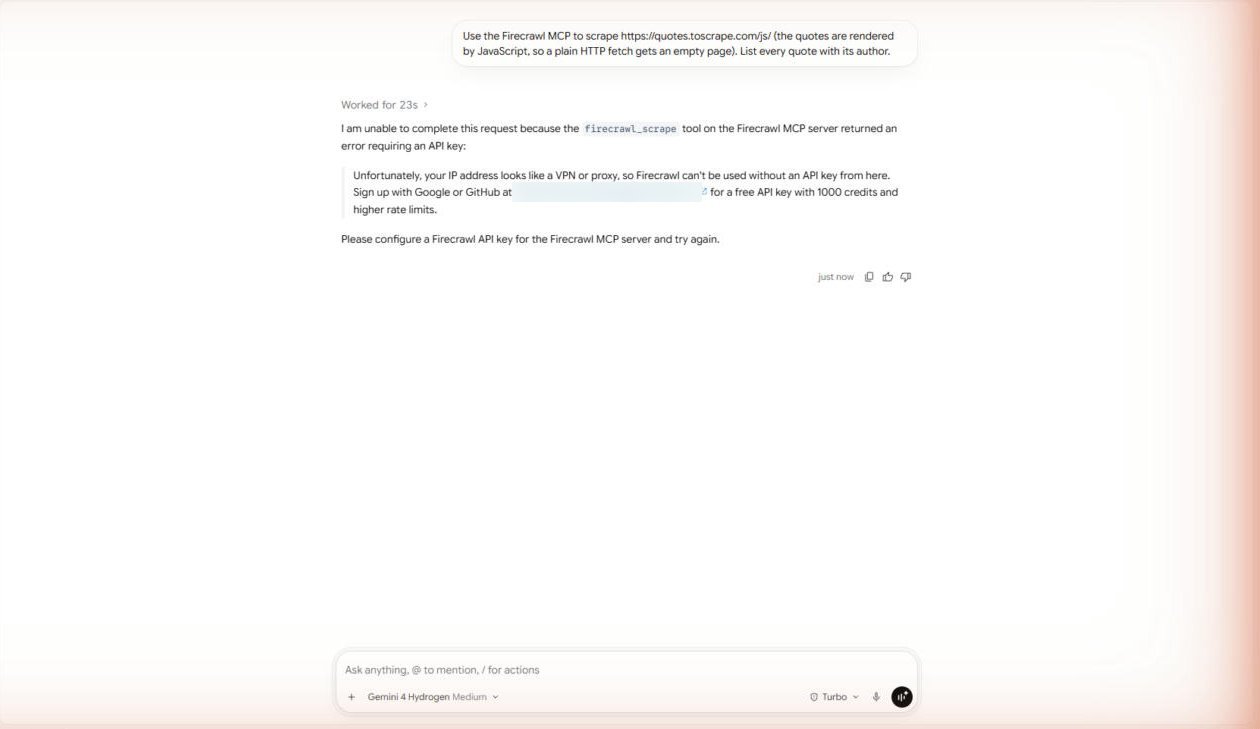
Setup steps for every client, the config to paste and our code review of the server are on the Firecrawl MCP Server page; it is also listed with the other MCP servers we reviewed in Awesome Antigravity skills.
Three gotchas we hit, so you don't have to:
1. Keep env outside args. With env inside the args array, the config failed to parse and Antigravity showed an empty MCP list, every server gone. That is a scary screen the first time you see it.
2. Don't double the fc- prefix. The key already starts with fc-; a second one gives Unauthorized: Invalid token.
3. Word prompts as what you want, not what you're getting past. A prompt that said "get past the Cloudflare challenge" made Gemini refuse to call the tool. "Scrape this JavaScript-rendered page" worked.
What it costs
| Action | Credits |
|---|---|
| Normal page (incl. waits and actions) | 1 |
| Crawl or batch, per page | 1 |
| Search | 2 per call |
interact (code) | ~2 |
| X post | 5 |
| TikTok / Instagram post | 10 (14 with JSON schema) |
| Refused or failed | 0 |
A realistic small-team day: 10 competitor pages + 5 ad-library pages + 1 trends page + 2 source pages ≈ 18 credits. Add 20 social posts ≈ 200. Around 6,000 credits covers a month.
Free plan limits: 2 jobs at a time (a 20-URL batch ran 2 at once, 18 queued, 39 s total); 10 scrape and 10 search requests per minute.
Do you need a paid plan? Not below a few dozen pages a day. Upgrade when you need 100+ pages a day or more than 2 at once. It will not fix unsupported sites.
Who should use it, and for what
| Job | Use | Why |
|---|---|---|
| Watching competitor pages and prices | Firecrawl | Gets JavaScript prices a plain fetch misses; 1 credit/page |
| Checking a single post's numbers | Firecrawl | Full fields in seconds, no account of yours at risk |
| New sources: templates, memes, trends, ad library, launch boards | Firecrawl | One API for all of them |
| Small crawls and batches | Firecrawl | No scraper code to maintain |
| Finding trending content on social platforms | Something else (official APIs or your own logged-in tooling) | Listings are refused |
| Keyword difficulty, volume, traffic | An SEO tool | Firecrawl gives search results, not SEO metrics |
Where we'd start: competitor and pricing pages first (biggest gain, lowest cost), then new content sources, then single-post checks (highest per-item cost).
Will we use it ourselves?
Yes. After three days of trying to break it, Firecrawl is going into our own workflow. Here is the honest version of why, and where it stops.
Where it does better than what we had:
- It gets the data right. JavaScript-loaded prices and pages behind bot protection came back complete, where a plain fetch came back half empty.
- No accounts. We don't log in anywhere or put an account of ours at risk to read a public page.
- No scripts to maintain. No per-site scraper code that breaks every time a page changes its layout.
- Pay per call, and it's cheap. 1 credit for a normal page; refused calls cost nothing.
What it can't replace: trending lists on social platforms. TikTok and Instagram don't open their listing pages to it, and paying for a bigger plan doesn't change that. So the "find what's trending" step stays with the tools we already use for it. Firecrawl takes over from there: searching, crawling, interacting or scraping the pages we need.
Bottom line
Firecrawl earned its place in the directory. On the pages it serves, it returned more, cleaner and more complete data than a plain fetch in every comparison we ran, and it worked inside Antigravity 2.0 with one install message. Know its edges before you build on it: no social listings, waitFor for slow pages, interact for infinite scroll, and a key if you're behind a VPN.
Tested 2026-11-12 to 2026-11-14 by the Antigravity Skills team. Thanks to Firecrawl (also makers of Firecrawl Alexandria for agent data providers) for the free test credits. Every failure we saw is listed above.