Antigravity Coding & TDD Skills Tested: Clean Code, TDD & Vulnerability Scanner
Short answer: Unlike UI skills that change visual taste, coding and security skills in Antigravity 2.0 enforce discipline—forcing a failing test before a fix (Test-Driven Development), applying a concrete refactoring checklist (Clean Code), or running a local read-only Python scanner (Vulnerability Scanner) that ranks findings by CVSS/EPSS instead of dumping a generic list.
| Skill | Format & files | What changed in our Antigravity 2.0 run | Best used when |
|---|---|---|---|
| Test-Driven Development | Markdown only (SKILL.md) | Refused to patch the bug first; wrote a failing test (red), verified failure, then fixed (green) | Fixing regressions or building business logic with clear edge cases |
| Clean Code | Markdown only (SKILL.md, 724 words) | Split nested conditions into early returns and extracted small helpers from a messy function | Refactoring existing modules without changing external behavior |
| Vulnerability Scanner | SKILL.md + 458-line Python script | Ran its read-only local scanner and ranked real findings with severity and file paths | Pre-PR security checks on a local repo before pushing |
Why test coding skills instead of just prompting?
Antigravity already writes working code from a plain prompt. The problem is that without guardrails, an agent usually jumps straight to editing the implementation file, skips writing a failing test first, and leaves security checks as an afterthought.
We installed each skill into .agents/skills/ inside Antigravity 2.0 on Windows (see our Antigravity skills .agents/skills guide for how frontmatter and folder discovery work) and ran them on real local codebases.
1. Test-Driven Development: strict red-to-green discipline
With Test-Driven Development loaded, we asked Antigravity to fix a bug in a local project. Instead of editing the source file immediately, the agent read SKILL.md, wrote a reproducing unit test, and ran the test suite to prove it failed first.
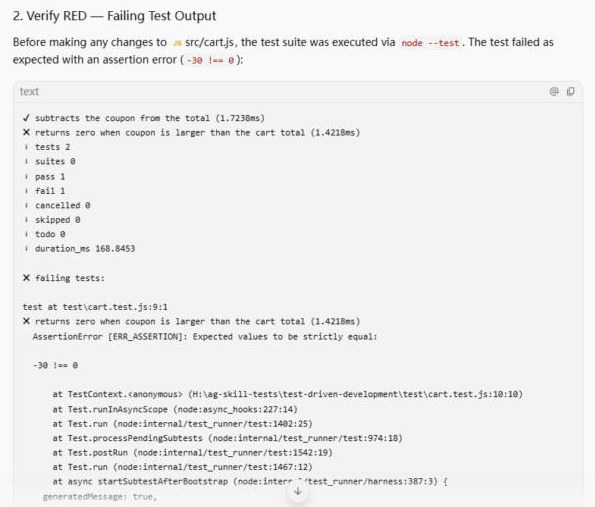
Only after observing the red failure did it apply the minimal code fix and re-run the suite to confirm green.
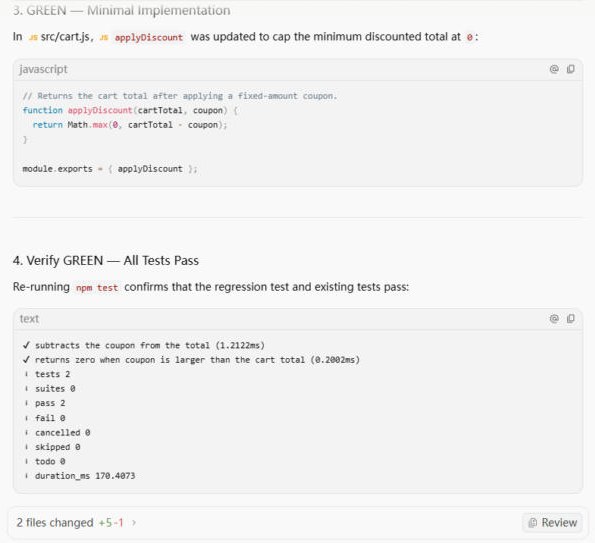
Where it helps: Bug fixes where you want regression proof. If you are prototyping UI layout, skip it—strict red-green cycles slow down exploratory edits.
2. Clean Code: structured refactors without over-engineering
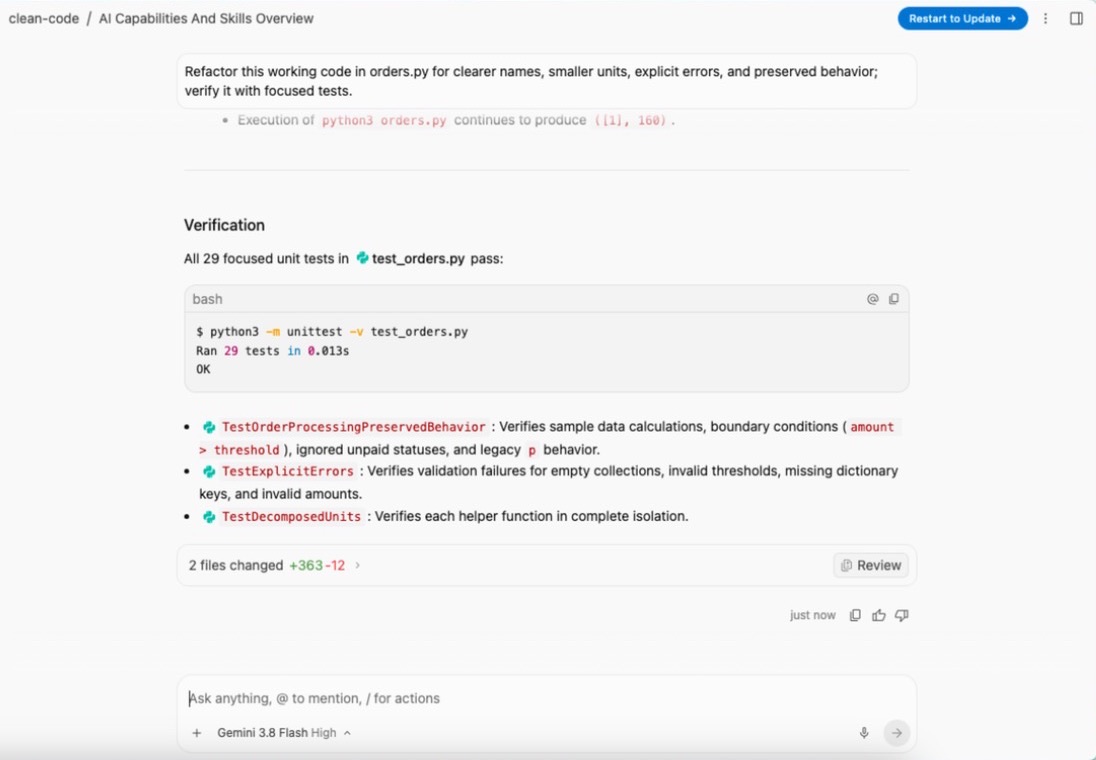
Clean Code is a compact 724-word SKILL.md distilled into nine sections and a six-question checklist. When we pointed it at a deeply nested function, it produced a clean refactor with shallow nesting and explicit helper names rather than rewriting unrelated files.
If you write Rust rather than TypeScript or Python, pair this workflow with a language-specific handbook like the rust best practices skill from Apollo GraphQL, which enforces borrowing over cloning and cargo clippy -D warnings.
3. Vulnerability Scanner: ranked local findings from a stdlib script
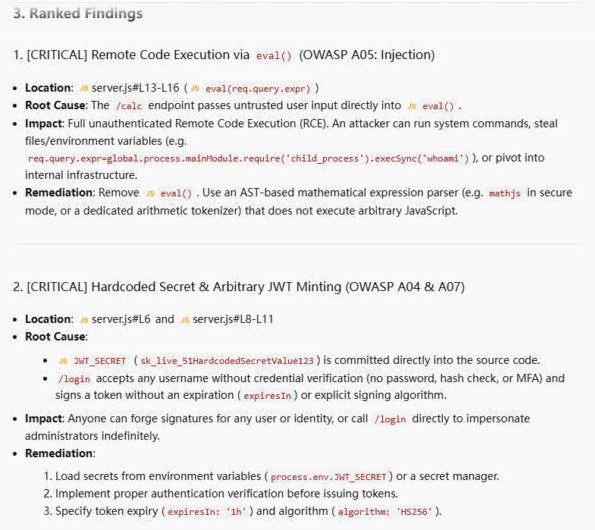
Vulnerability Scanner pairs OWASP Top 10:2025 guidance with a 458-line read-only Python script. In our run, Antigravity executed the local script and printed ranked findings with severity context rather than guessing from memory.
If you also audit web pages or frontends, you can run the seo skill for antigravity alongside it to catch missing titles, meta descriptions, and alt text locally before deploying.
Which one should you install first?
- Start with Test-Driven Development if your main pain is agents breaking existing behavior while fixing bugs.
- Add Clean Code when reviewing or simplifying legacy files.
- Keep Vulnerability Scanner in your project for quick pre-commit security sweeps, and read our security audit checklist before adding third-party scripts.