Impeccable
@pbakausPaul Bakaus's Impeccable design skill: one /impeccable skill with 24 design commands, live browser iteration and a 59-rule detector for AI-generated frontend patterns.
Well-documented design skill that runs a downloaded, checksum-verified engine binary, writes .impeccable/ files and contacts impeccable.style; set IMPECCABLE_NO_TELEMETRY=1 to skip the anonymous choice report.
What it looks like in Antigravity 2.0
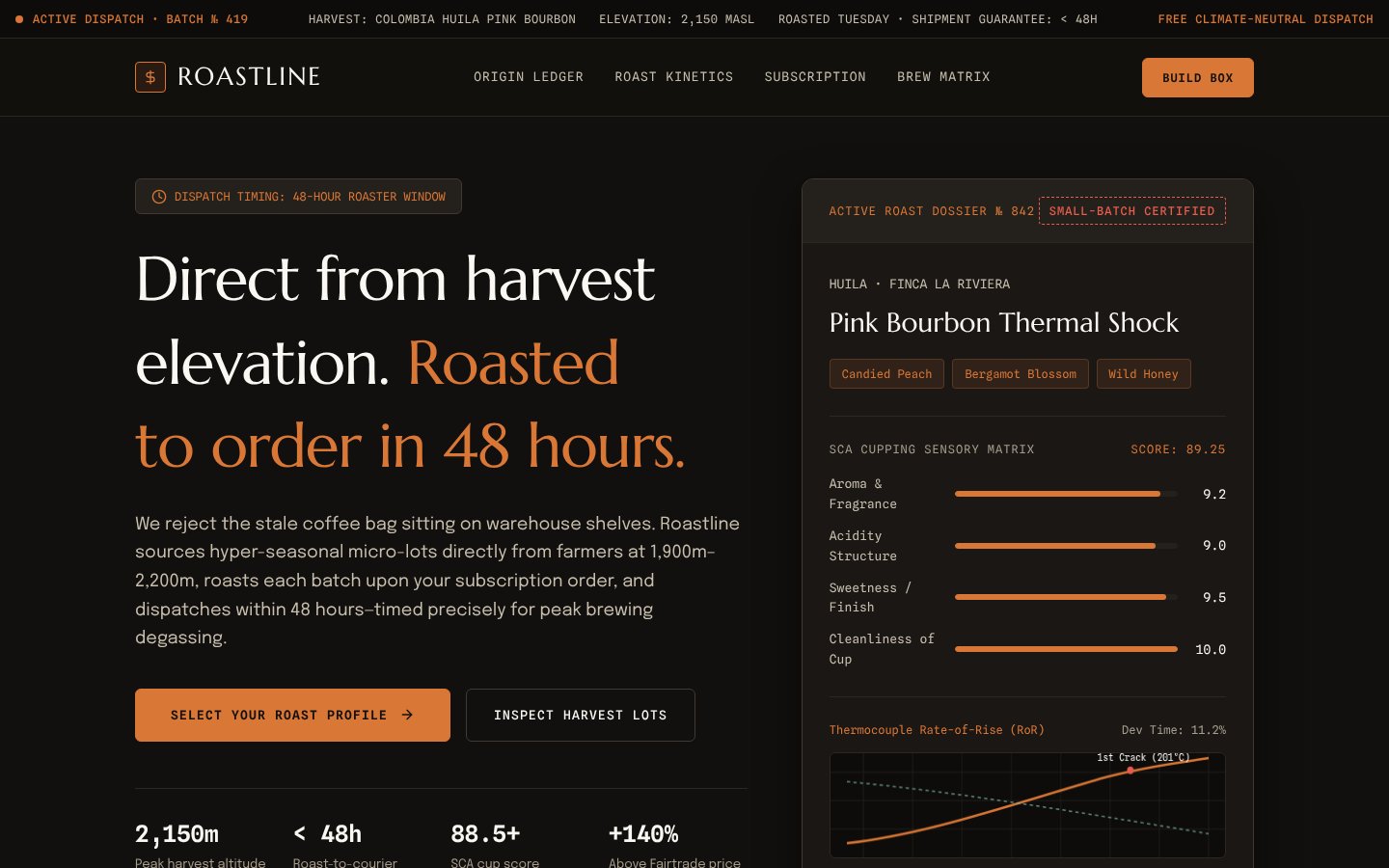
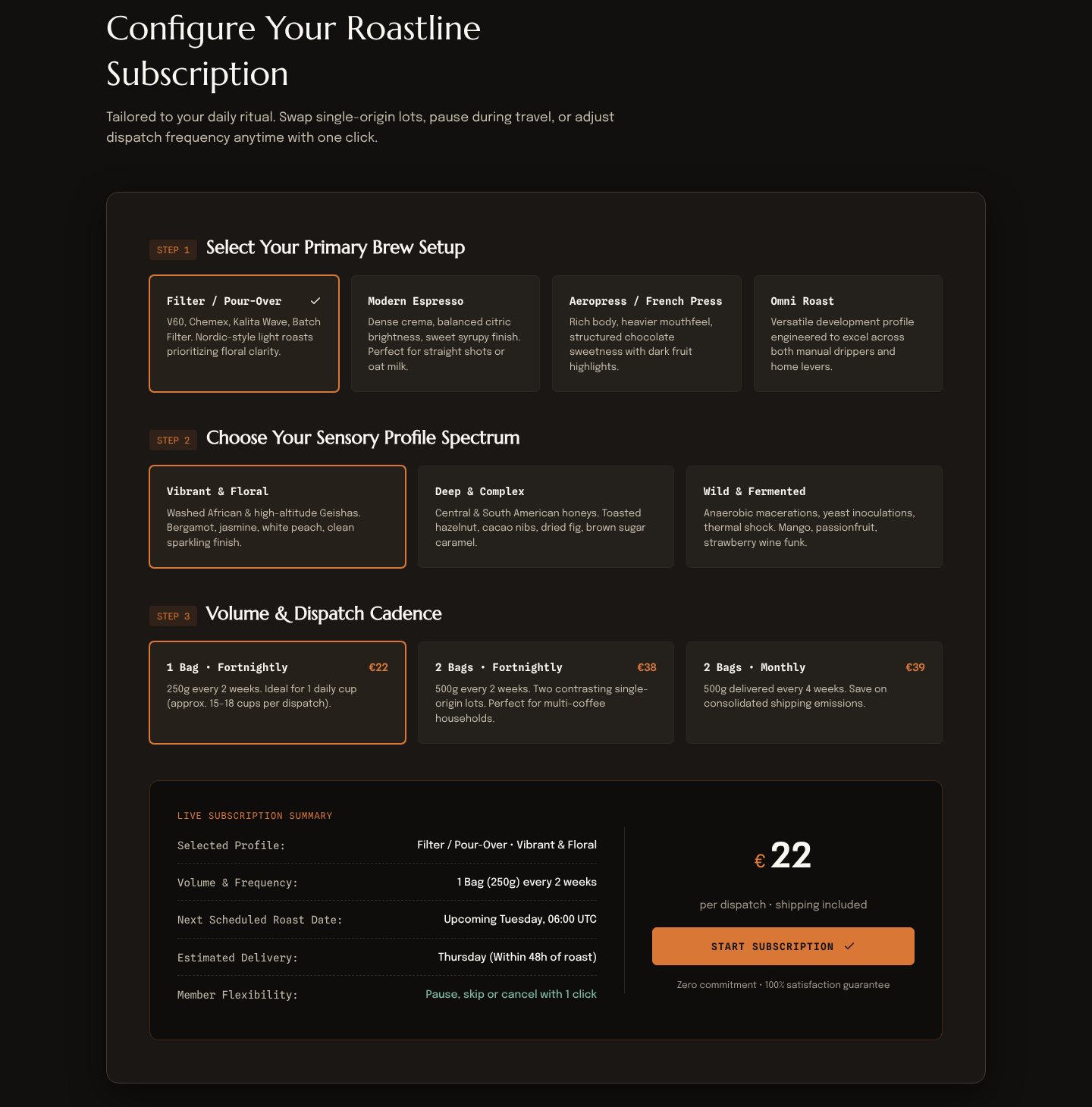
WorksInstalled with Option 1 and worked. From one sentence it asked 3 questions, showed 4 design directions in a local browser page, then built the page and fixed what its own detector flagged. About 10 minutes after picking a direction.Run by us on 2026-10-14 · desktop app, Gemini 3.8 Flash (High), Windows
How to get this result, step by step
1Open your project folder in Antigravity, start a new conversation and paste the install message. Press Enter.
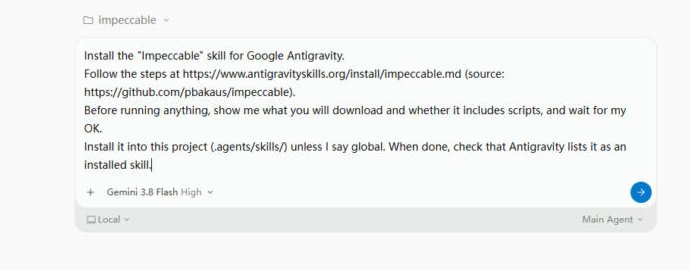
Install the "Impeccable" skill for Google Antigravity.
Follow the steps at https://www.antigravityskills.org/install/impeccable.md (source: https://github.com/pbakaus/impeccable).
Before running anything, show me what you will download and whether it includes scripts, and wait for my OK.
Install it into this project (.agents/skills/) unless I say global. When done, check that Antigravity lists it as an installed skill.
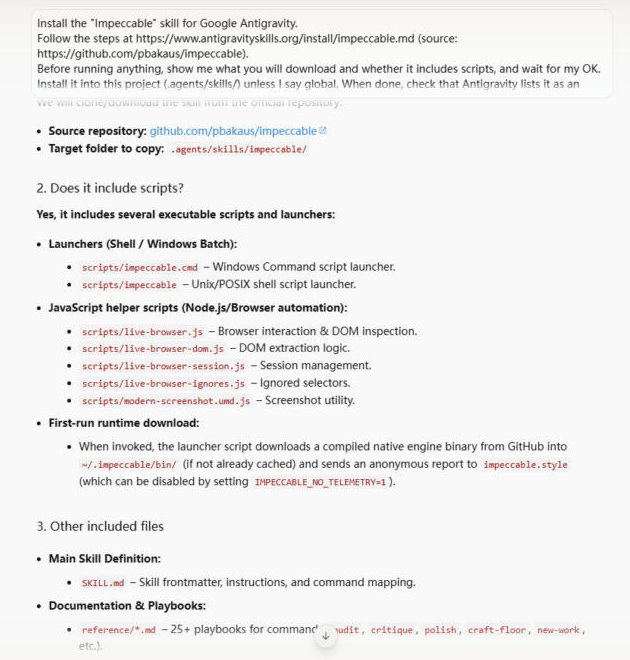
2The agent lists the scripts and the engine download it will make, then waits. Reply "OK".
OK
3Check it is installed: in a new conversation type /impecc and the skill shows up in the menu.
/impecc
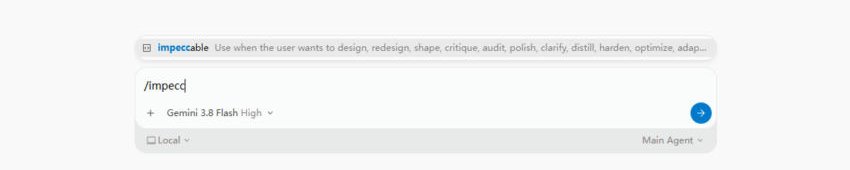
4Ask for the page in one sentence and name the skill.
Use the impeccable skill to design and build a one-page landing page (index.html with inline CSS) for a specialty coffee subscription called Roastline. Make it look distinctive, not like a generic AI template.
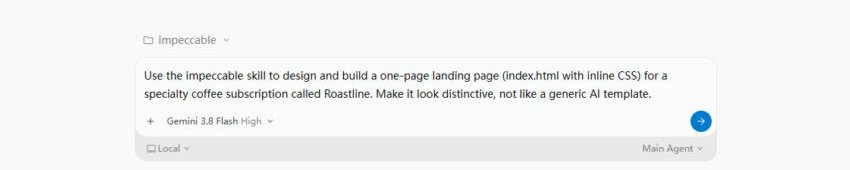
5It asks 3 short questions. Picking the recommended answer is fine.
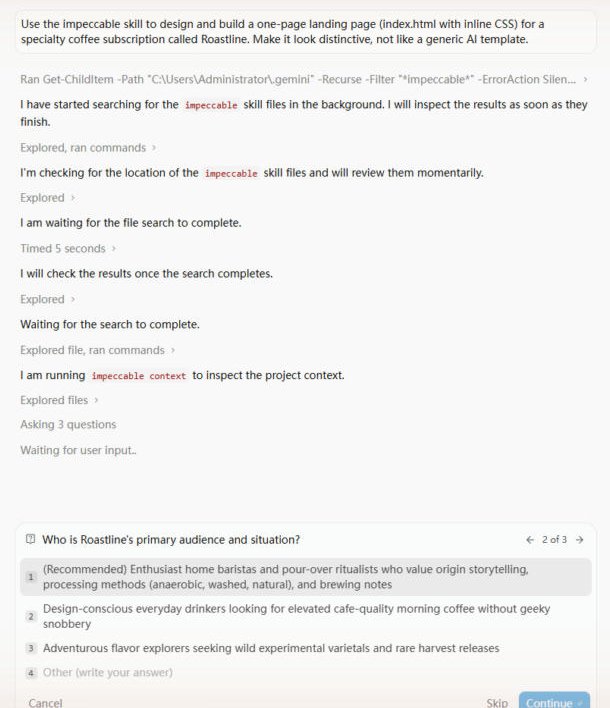
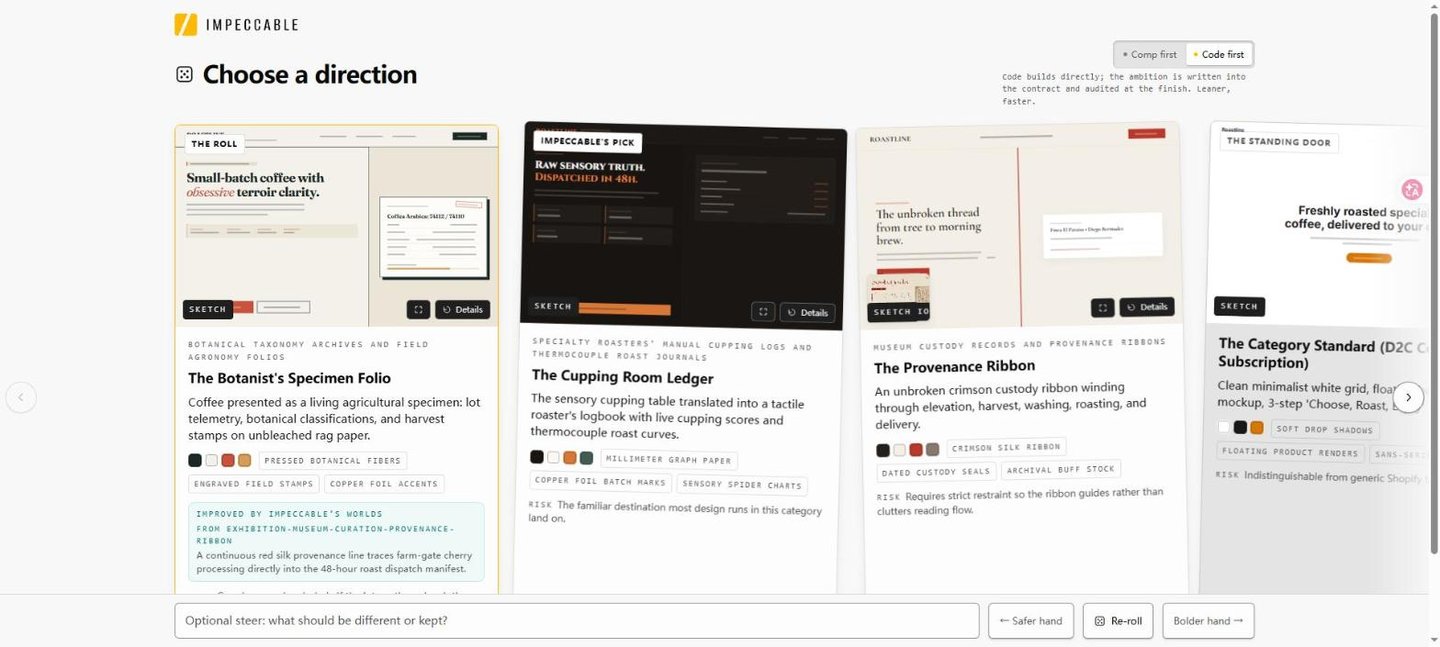
6A browser page opens with 4 directions. Choose one (we took The Cupping Room Ledger).
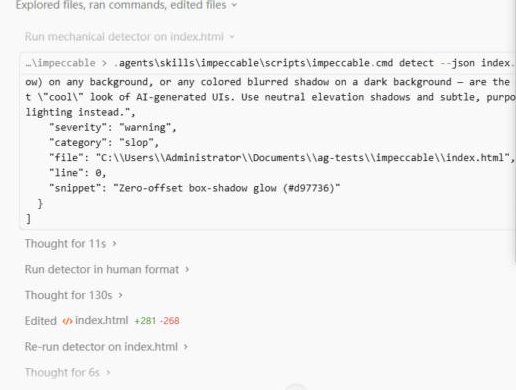
7After building, it runs its detector, fixes what it finds and checks again. No input needed.
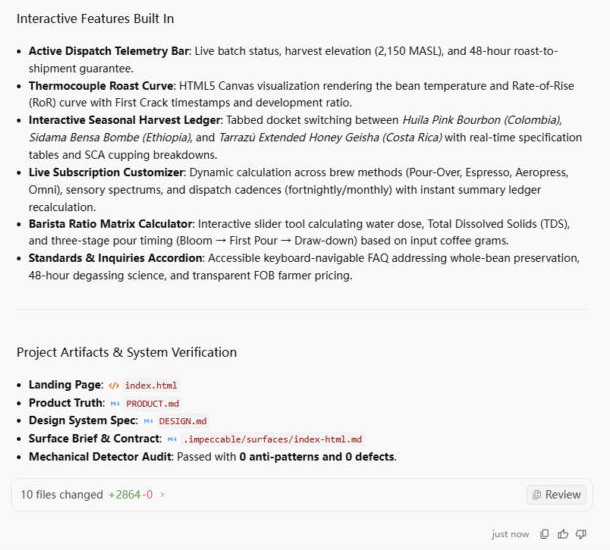
8Done: index.html plus PRODUCT.md and DESIGN.md in your folder. Open index.html in a browser.
Full test log
Install method: Option 1 (pasted the agent prompt into a new conversation in an empty project folder).
- The agent read the install page, then listed what it would download before doing anything: the SKILL.md router, reference/*.md playbooks, launchers (scripts/impeccable.cmd and scripts/impeccable), live-browser JavaScript helpers, and a note that the first run downloads a compiled engine binary into ~/.impeccable/bin and sends an anonymous usage report (opt out with IMPECCABLE_NO_TELEMETRY=1). We replied OK.
- It installed into .agents/skills/impeccable/ in the project. In a new conversation, typing /impecc showed impeccable in the menu.
- With the prompt below, the agent first searched ~/.gemini for the skill files, then ran impeccable context and asked 3 multiple-choice questions (audience, feel, scope). We picked the recommended answer each time.
- It wrote PRODUCT.md and opened a decision page at 127.0.0.1 with 4 directions (The Botanist's Specimen Folio, The Cupping Room Ledger marked as Impeccable's pick, The Provenance Ribbon, The Category Standard). We chose The Cupping Room Ledger in the chat question.
- It wrote index.html (+2,123 lines), ran impeccable detect --json index.html, got warnings such as a zero-offset box-shadow glow and low-contrast text, edited the page and re-ran the detector until it reported 0 findings. Then it wrote DESIGN.md.
What we corrected on this page
- Nothing on our install page had to change. One thing to know: "inline CSS" still loads three Google Fonts (Marcellus, Epilogue, Spline Sans Mono) from fonts.googleapis.com.
- The page copy is invented by the agent (farm names, cupping scores, prices, "+140% above Fairtrade"). Replace it with your real facts before you publish.
Install Impeccable in Google Antigravity
Antigravity loads skills from .agents/skills/ in your project or ~/.gemini/config/skills/ for all projects (official docs). Full guide
Install the "Impeccable" skill for Google Antigravity.
Follow the steps at https://www.antigravityskills.org/install/impeccable.md (source: https://github.com/pbakaus/impeccable).
Before running anything, show me what you will download and whether it includes scripts, and wait for my OK.
Install it into this project (.agents/skills/) unless I say global. When done, check that Antigravity lists it as an installed skill.
The agent reads the install file, shows you what it will download and waits for your OK.
Option 2: install it yourself
- 1. Download the repository
git clone --depth 1 https://github.com/pbakaus/impeccable /tmp/impeccable
The repository commits a prebuilt Antigravity copy of the skill at .agent/skills/impeccable (the folder we reviewed at 2f98774).
- 2. Copy the skill into this project (workspace skill)
mkdir -p .agent/skills && cp -r /tmp/impeccable/.agent/skills/impeccable .agent/skills/
Run from your project root. The README (Google Antigravity section) uses .agent/ for project installs, and this build's SKILL.md allows and calls .agent/skills/impeccable/scripts/impeccable, so use .agent/skills/, not .agents/skills/. docs/HARNESSES.md says Antigravity also reads .agents/skills/ but that copy would not match the paths inside SKILL.md.
- 3. Or install it for all projects (global skill)
mkdir -p ~/.gemini/config/skills && cp -r /tmp/impeccable/.agent/skills/impeccable ~/.gemini/config/skills/
Global path from the README. For the Antigravity CLI the global folder is ~/.gemini/antigravity-cli/skills/.
- 4. Check that Antigravity sees it, then initialize
Antigravity 2.0 app: start a new conversation and ask "What skills do you have?" (the app has no /skills command). Antigravity CLI: run /skills; in a session already open run /skills reload first. Then ask the agent to run /impeccable init in your project; the first launcher call downloads the engine, so allow network access when asked.
One-command alternative: `npx impeccable install --providers=antigravity --scope=project` (or `--scope=global`); the engine source maps antigravity to .agent/ and the global scope to ~/.gemini/config/skills. The README's own provider examples do not name antigravity, only its manual copy section does. No API key is required; the first engine call needs network access to github.com unless the binary is already installed.
Using Claude Code, Cursor or Codex? See other assistants below.
What is Impeccable?
How to use Impeccable?
Key features of Impeccable
- ✓`init` records durable product facts (audience, purpose, constraints, voice) in PRODUCT.md; `document` writes DESIGN.md from existing code
- ✓24 commands: craft (a deprecated alias for ordinary new work), shape, init, document, extract, critique, audit, polish, bolder, quieter, distill, harden, onboard, animate, colorize, typeset, layout, delight, overdrive, clarify, adapt, optimize, live, generate
- ✓Each command loads its own playbook from reference/ (for example audit.md, typeset.md, harden.md); audit and adapt also have native iOS/Android variants
- ✓Four visitor modes per surface (Persuade, Operate, Read, Experience) so a dashboard is not designed like a landing page
- ✓Live mode (`live`, `generate`): pick an element in the browser and compare variants against your local dev server
- ✓Command-line detector `npx impeccable detect <file|folder|URL>` with `--json` and exit codes for CI; the README says 59 deterministic rules and no LLM or API key
- ✓`/impeccable pin audit` creates a standalone /audit shortcut; `/impeccable doctor` and `hooks` manage drift and the optional edit hook
- ✓We counted at the newer HEAD dad8dbb (2026-10-20, 71 commits after the reviewed commit): skill 4.7.0, engine 0.1.16, the same 57 files in .agent/skills/impeccable at the same path (25 files edited, none added or removed), and the README now says 61 detector rules. The launcher change we read is a download-cleanup trap; the install steps below still apply
When to use Impeccable
- 1Audit an existing page for accessibility, performance and responsive problems with `/impeccable audit`
- 2Get a UX critique of a landing page before launch with `/impeccable critique`
- 3Final pass on a settings page or checkout form with `polish` or `harden`
- 4Plan a new screen before any code with `/impeccable shape`
- 5Scan a folder or live URL for common AI-design tells in CI with `npx impeccable detect --json`
Installation & Setup Guide
Agent Rules / Prompt SetupFollow these steps (taken from the project's own docs) to configure Impeccable in your development environment.
/plugin marketplace add pbakaus/impeccable
README Option 3: after adding the marketplace, open /plugin and install Impeccable from the list. The plugin registers SessionStart, PostToolUse (Edit|Write) and Stop hooks (plugin/hooks/hooks.json).
npx impeccable install
README Option 1, run from your project root. It detects harness folders, asks for project or global scope and installs the hook where supported. Scripted: `npx impeccable install --providers=claude,cursor --scope=project`. `npx impeccable update` refreshes it.
README: Cursor skills must be enabled first (Cursor Settings, Rules, Agent Skills; the README also mentions the Nightly channel). `npx impeccable install --providers=cursor` writes .cursor/skills/ and .cursor/hooks.json.
npx impeccable install --providers=gemini
Installs into .gemini/skills/. README: install the preview build of Gemini CLI, enable Skills in /settings and check with /skills list.
Usage Example & Verification
1) README example: `/impeccable critique landing`
-> What should happen: the agent loads reference/critique.md and PRODUCT.md and gives a UX design review of your landing page (hierarchy, clarity, emotional resonance, per the README), without changing code.

2) README example: `/impeccable polish settings`
-> What should happen: a final design-system and shipping-readiness pass on the settings page; per SKILL.md, a refinement keeps your existing identity and copy.

3) Our example: "Use the impeccable skill to audit the pricing page and give me a list of fixes before you change anything."
-> What should happen: audit.md drives checks for accessibility, performance and responsive behavior and returns a report; you decide what to apply.
Security Review
Static reviewWell-documented design skill that runs a downloaded, checksum-verified engine binary, writes .impeccable/ files and contacts impeccable.style; set IMPECCABLE_NO_TELEMETRY=1 to skip the anonymous choice report.
Full review: scope, findings, risks
Static review at commit 2f98774 (skill 4.5.2, engine 0.1.14, 2026-10-14); nothing was executed. The Antigravity build .agent/skills/impeccable has 57 files: SKILL.md (88 lines), 45 Markdown playbooks in reference/ (41 top-level plus 4 in reference/degraded/), and 9 files in scripts/ (the launcher impeccable and impeccable.cmd, VERSION, command-metadata.json, four live-browser JavaScript files, modern-screenshot.umd.js) plus 2 data files (font-index.json, 1,100,013 bytes, and font-index-failures.json). SKILL.md allows only `npx impeccable *` and the launcher path. The launcher exports IMPECCABLE_SKILL_DIR, picks an engine binary and, if none exists, downloads the pinned version from github.com/pbakaus/impeccable/releases/download/engine-v<version>/ and refuses to run it unless the .sha256 sidecar fetched from the same location matches (in the version we looked at earlier, bbcb29d, the same check existed; the pinned engine was 0.1.11). The README states the first edit or Stop event of an installed Claude Code hook can trigger that download even if the session denies the model's command. Network: impeccable.style (roll API for the design-direction step, command list, version) and the opt-out choice report described in the README's Telemetry section (since commit 44c00a2 'Telemetry v2'); `npx impeccable telemetry off`, DO_NOT_TRACK=1 and IMPECCABLE_NO_TELEMETRY=1 turn it off. Files written: .impeccable/ in your project, ~/.impeccable/ (engine cache, config, a random seed-salt file). Live mode may run package.json's `impeccable:manual-edit-validate` script in a shell (README). Optional OPENAI_API_KEY use in crates/context/src/generate_image.rs. No API key is required for the normal skill. The Antigravity install gets no edit hook. Not reviewed in depth: the engine's Rust source (crates/), the browser extension and the VS Code extension.
Operational Notes & Known Limitations
Known Limitations
- •Not instruction-only: the skill runs a launcher (scripts/impeccable) that executes an engine binary. It is not bundled in the Antigravity folder at this commit (no bin/ folder, we counted 9 files in scripts/), so the first run downloads engine 0.1.14 from GitHub releases into ~/.impeccable/bin/ and needs network access once
- •Writes working files under .impeccable/ in your project (config, surface briefs, screenshots, live-mode state); the README recommends a .gitignore block for the ephemeral ones
- •Live mode is for local checkouts only; the README says it may run your package.json script `impeccable:manual-edit-validate` in a shell, and injecting its helper into a deployed HTTPS site is not supported
- •On Antigravity you get the skill but no automatic edit hook: the README lists the hook for Claude Code, GitHub Copilot, Codex, Cursor and Grok Build only
- •Comp-first builds (a generated image mock before code) need image generation; the engine's own fallback is an OpenAI API key (gpt-image) billed to you, otherwise the agent's native image tool or code-first
- •Heavy compared with frontend-design on our site (1 SKILL.md + LICENSE) and UI/UX Pro Max (searchable style data plus Python): Impeccable adds a project setup, named commands and a detector, at the price of an engine download and per-project files
- •The README's manual copy commands use a dist/ folder that is not committed; use the installer or the committed .agent/skills/impeccable folder
Frequently Asked Questions
What is Impeccable?
An Apache 2.0 design skill by Paul Bakaus: one /impeccable skill with 24 commands (critique, audit, polish, harden and more), project context in PRODUCT.md, live browser variants and a CLI detector. Its README says it started from Anthropic's frontend-design skill.
How do I install Impeccable in Antigravity?
Clone github.com/pbakaus/impeccable and copy .agent/skills/impeccable into your project's .agent/skills/ (or ~/.gemini/config/skills/ for all projects), or run npx impeccable install --providers=antigravity. Then ask "What skills do you have?" (CLI: /skills) and run /impeccable init.
Is the Impeccable skill safe?
It is more than instructions. In our static review of 2f98774 the skill runs a shell launcher that downloads an engine binary on first use and runs it only after its .sha256 sidecar matches. The design-direction roll contacts impeccable.style; the anonymous choice report can be switched off with `npx impeccable telemetry off` or DO_NOT_TRACK=1. We did not review the engine's Rust source in depth.
Does Impeccable need an API key?
No. The README says the CLI and extension run the detector with no LLM and no API key. Only the optional comp-first image step can use an OPENAI_API_KEY you provide, as a fallback when the agent has no image tool.
How is it different from frontend-design?
frontend-design is a single instruction file. Impeccable adds project setup (PRODUCT.md, DESIGN.md), 24 named commands, live variant mode, an engine and a detector, which is why it also needs a binary download and writes .impeccable/ files.
Supported Platforms
Choosing between UI skills? We installed Impeccable, Frontend Design, Taste Skill and Claude Design in Antigravity 2.0 and put the results side by side: Impeccable vs Frontend Design vs Taste Skill.
Keep exploring this topic
Browse the full Antigravity skills directory for more source-linked skills with install steps and static safety reviews.
Related Skills
Frontend Design (Anthropic)
@anthropics
Anthropic's official frontend-design skill: guidance for distinctive, intentional UI design, typography and copy that avoids templated AI defaults.
UI/UX Pro Max
@nextlevelbuilder
Comprehensive UI/UX design intelligence skill for AI coding assistants. Injects structured design tokens, color theory, typography scales, accessibility guidelines, and component patterns into Claude Code, Cursor, and Windsurf.
Web Design Guidelines
@vercel-labs
Vercel's review skill: fetches Vercel's Web Interface Guidelines at run time, checks the files you name and lists violations as file:line findings.
Popular Skills
View All →Agent Manager
@sickn33
Manage multiple local CLI agents via tmux sessions.
Systematic Debugging
@sickn33
Debug systematically, not randomly. Find and fix bugs methodically.
Browser Automation (Playwright)
@sickn33
Expert browser automation for cleaning scraping and reliable testing.